
← All features
Together

Whole Family Access

Two parents, real-time sync. Kids, their own window in.

Invite a co-parent with a secure 6-digit code and you're both looking at the same real-time data — deposits, withdrawals, chores, everything. Children get their own dedicated screen too: a colourful view of their balance, charity pot, and (when you choose to share it) their savings pot, so they can check in without asking mum or dad to look it up for them.

👨‍👩‍👧 The Cohen Family 3 members
👩 Mom Admin Full access
👨 Dad Co-Parent Full access
🧒 Noa Child Own view only
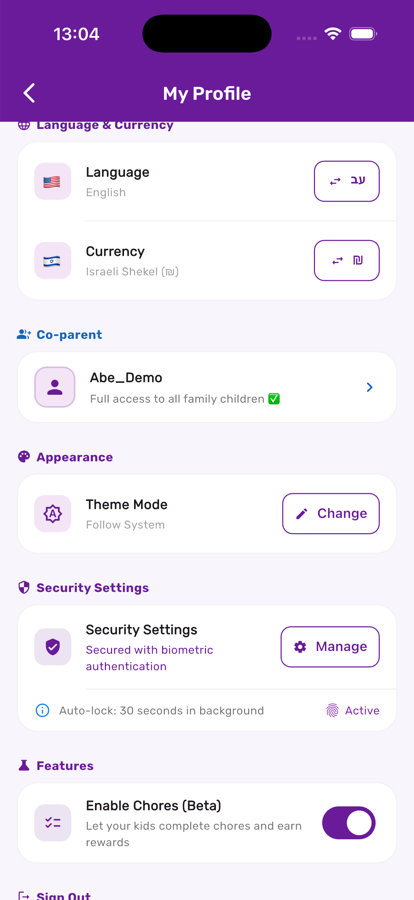
Co-parent card in My Profile in Kupa3

Your co-parent, always visible in My Profile

Once invited and linked, your co-parent shows up right in My Profile with their access level confirmed — no need to wonder whether the invite actually worked.

Every child, one dashboard

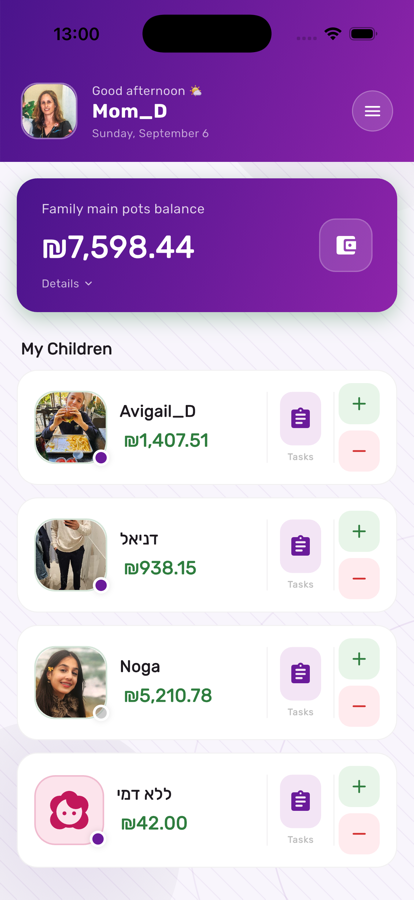
Every parent on the account sees the same home screen: every child, their balance, and a running family total — updated in real time the moment anyone makes a change.

Parent home screen listing every child in Kupa3

Three steps, start to finish

1

Invite your co-parent

Generate a 6-digit code from settings; it expires in 24 hours and works once. Your partner enters it and is instantly linked with full financial access.

2

Give your child their own view

Link a child's device with their own invite code so they see their balance, transactions, and charity pot directly — no adult required.

3

Stay in control

Admins can revoke a co-parent's access or unlink a child's device at any time, and every action stays role-appropriate — kids see their own data, never anyone else's.

Get the most out of it

💡

Co-parents get full financial access but can't delete children or the family account — only the primary admin can, so there's always one clear owner.

💡

If a child changes phones, unlink the old device and re-invite — their transaction history stays intact on the child record.

💡

Turn on savings visibility for a child once they're old enough to appreciate watching it grow, not before — it's a setting you can flip anytime.

Works great with